FAQ: Frequently Asked Questions about Aelo
Frequently asked questions about Aelo: how much does it cost, what are AeloCoins, which AI models do we measure, do we publish content, and what…
Tickets is the task board for your brand. It collects actions meant to increase the chance that AI chats will start mentioning and recommending the brand: changes on your website and publications elsewhere. Tasks come from the Dossier, the audit and the outreach plan, and you can add your own manually.
The board has five columns: Drafts, Published, Detected, Verified and Archive. The number next to a column name tells you how many tasks it holds. Above the board you switch the view: All, On-site or Off-site.
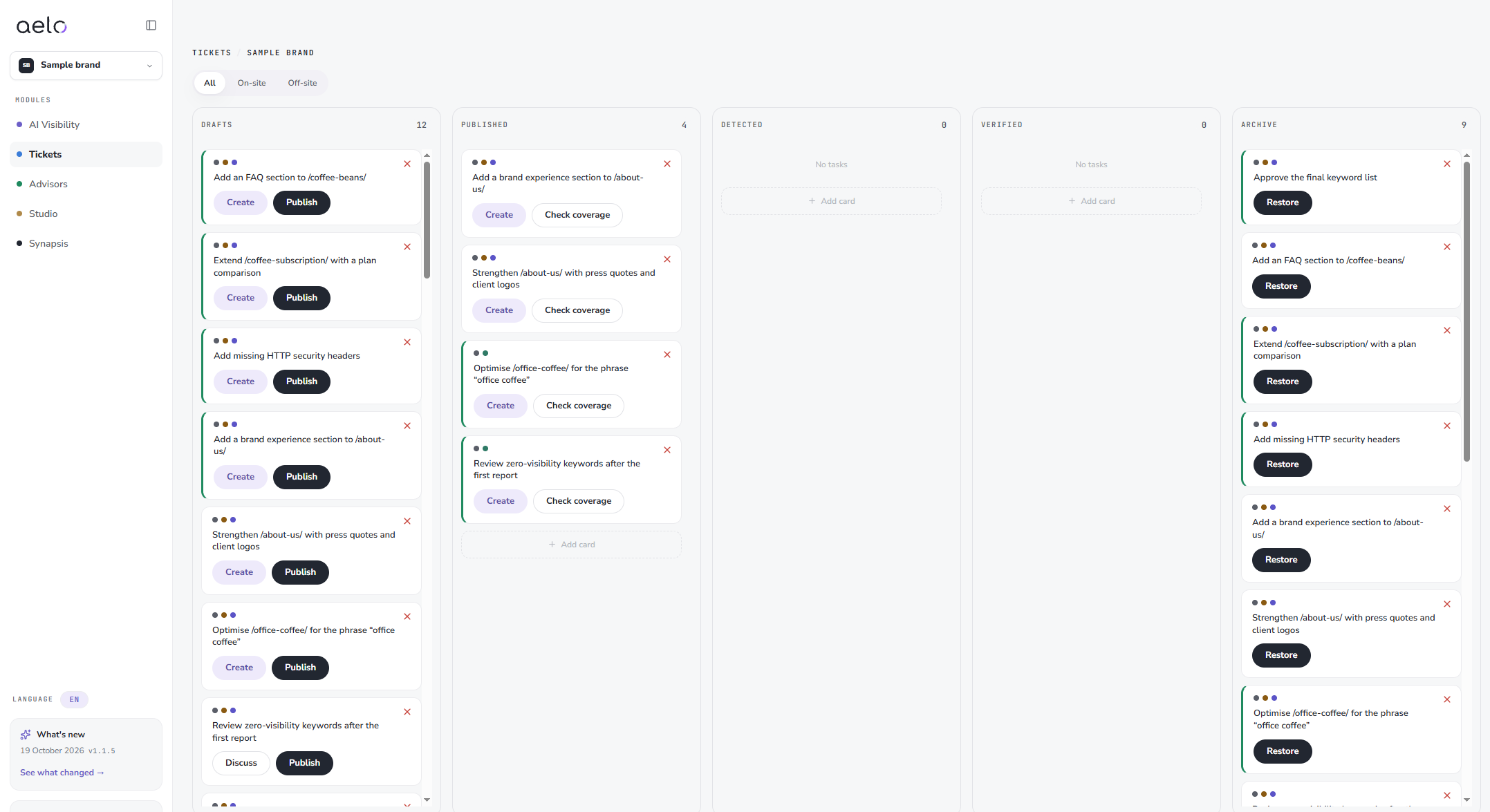
New tasks wait in Drafts. You add your own card with the Add cardbutton, and the new card goes to the Drafts column. The Add column button lets you extend the board.
Click a task title to open its details. At the top there are three labels:
Below the title is the Whysection: a short explanation of what the task will change in the brand's visibility. Further down you see the category, the date added and the source, for example Dossier: action plan.
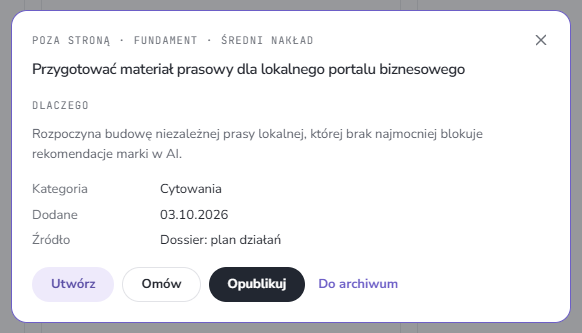
Off-site tasks name the platform where the material is worth publishing. You enter the address only after publishing.
After publishing, Aelo checks whether the task had an effect. In the Published column the task has a Check coveragebutton. The Detected and Verified columns show the next stages of this check.
Technical tasks, for example security headers, structured data, the canonical address and FAQ, are checked directly on your website: when you publish and after you click “Check”.
When you archive a task, you choose a reason: already done, not applicable, not now or wrong recommendation. Each works a little differently:
To restore a task from the Archive, use Restore.
On the list “Start with these steps”, Aelo suggests starting with the first task at the top. It is best to close the tasks from the Foundation stage first, because later stages build on them. You will see the results of the changes in AI Visibility after the next scans. Effects take time: we explain why in the article why changes take time.
Tasks on site These are the changes you make to your own site: a new FAQ section, expanding a subpage to include a comparison, structured data or security headers. By contrast, the off-site tasks are actions elsewhere: a press release for a portal, submitting the brand to a ranking or a listing in a business directory with reviews.
Both kinds are needed. Your website gives the models facts about the brand, and independent sources confirm that these facts can be trusted. The switch above the board lets you work on one kind only, for example when someone other than the person handling external publications takes care of on-site tasks.
Every completed task goes to Synapsis as an implementation, so the advisors and reports know what has already been done.
From the Dossier, the audit and the outreach plan. You can also add your own card with the Add card button.
The full address of the published material, starting with http:// or https://. The system uses it to check the publication.
It goes to the agreements in Brand identity, and the report and plan won't suggest it again.
Yes. In the Archive column, click Restore on the task.
An on-site task is a change on your website, for example a new FAQ section. An off-site task is an action on another site, for example a press release or a ranking listing.
With the Foundation stage, and within it with the small-effort tasks.
Didn't find the answer to your question? Visit Aelo Help or write to kontakt@aeloapp.io.